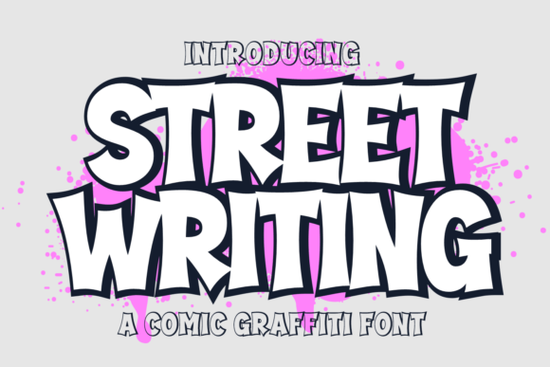
If you need a typeface that instantly adds attitude without sacrificing readability, the Street Writing Font delivers exactly that. Designed as a graffiti cartoon display type, this set gives you two distinct weight variations regular and extrude so you can match the energy of any project while keeping the core shape consistent across your layout.
The character set covers everything you typically need for commercial work: full uppercase and lowercase alphabets, numbers, and standard punctuation marks. Each glyph carries a hand-drawn street art feel with organic curves, which keeps the text looking crafted rather than grid-generated. When placed in a design tool, the letters naturally break away from rigid alignment systems and bring movement to titles. You can review the complete character map by visiting the official preview gallery.
What makes this set different from standard graffiti styles?
Most urban lettering fonts lean heavily into sharp angles or thick outlines, but this collection balances rough textures with a cleaner cartoon structure. The extrude variation adds depth through offset layers that mimic spray-paint buildup, while the regular version stays flat enough for clean printing on labels and social graphics. Because both styles share the same base letterforms, you can mix them within a single headline to create visual hierarchy without clashing. This consistency matters when building a brand identity that needs to look cohesive across multiple touchpoints.
Where can you actually use these custom letterforms?
Designers and print-on-demand sellers frequently turn this style toward products that benefit from high visual impact. You will see it work well on poster prints, event flyers, comic book covers, and watermark overlays for photography portfolios. Packaging designers also appreciate how the lettering holds up at smaller sizes, especially for snack labels or limited-run merchandise drops. Small creative shops can pair these glyphs with simple geometric shapes to keep the focus squarely on the wordmark. For softer playfulness alongside edgy elements, browsing Marshmellow offers a rounded contrast that pairs cleanly with sharper street styles. When planning promotional quotes or banner layouts, reviewing Good Vibes Only Duo gives you another pairing option that complements the energetic stroke weight of this set.
How do you combine these glyphs for print and digital use?
Working with display typography requires a few straightforward adjustments to maintain quality. Convert all text to outlines before sending files to printers, since custom kerning may shift depending on the output device. Keep line height generous when setting multi-line headlines, because irregular baselines can cause overlapping descenders if crowded too tightly. On digital screens, adding a subtle background tint behind white lettering improves legibility against busy photos. If your current project leans more toward retro aesthetics rather than urban grit, exploring Creative Vintage might save time when you need period-accurate curves instead of modern street lines. Similarly, switching to a heavier block family like Steel makes sense when you need industrial weight rather than playful cartoon thickness.
When searching for reference examples or verifying technical specifications before purchase, visiting Street Writing provides quick access to preview sheets and usage guidelines straight from the marketplace listing.
What should you check before downloading?
- Verify whether your intended use falls under personal or commercial licensing requirements
- Test both the regular and extrude versions at actual print dimensions to ensure crisp edges
- Check the included punctuation and number styles to confirm they match your project’s tone
- Save outline versions after finalizing layout to prevent font substitution during production
- Keep a backup copy of the original installation files in case you need to reinstall on new devices
Practical next step: open a blank canvas, type your core brand word in the regular style, duplicate it three times, and assign the extrude variation to alternating lines. Adjust tracking by minus five to eight points, place the stack over a muted texture, and export at 300 DPI. This quick experiment shows you exactly how the two weights interact before you commit to full asset production.
Download Now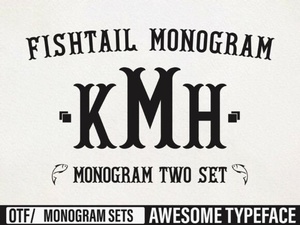 Elegant Fishtail Monogram Fonts for Stylish Projects
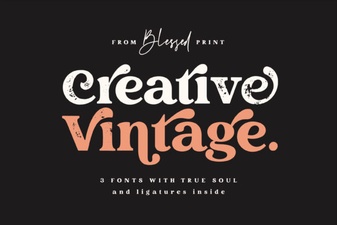 Choose Your Vintage Font Style for Creative Projects
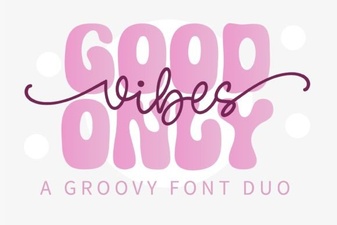 Good Vibes Only: Creative Pairing Ideas & Examples
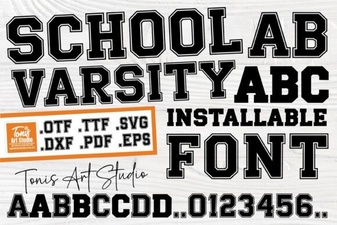 Design School Spirit with a Varsity Font Style
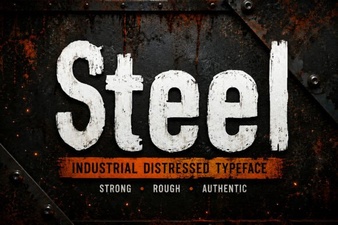 Steel Typefaces for Modern Design & Branding
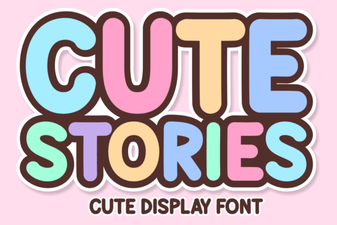 The Art of Playful Typography for Storytelling